
Skip to content
Menu
Smartttips Smartttips
  • Home
  • About Us
    • Privacy Policy
  • Web Tips
    • PHP Tips
      • CodeIgniter
      • Yii Framework
      • SocialEngine
      • zendframework
      • SQL
    • jQuery
    • CSS
    • Internet
    • Google
    • whatsApp
    • Soma Messenger
    • Useful Sites
  • General Tips
    • Top 10 Lists
    • Onam wishes and Greetings
    • Travel and Tourism
  • Free Web Tools
    • English To Malayalam Converter
    • Malayalam To English Converter
    • English To Tamil Converter
    • Manglish To Malayalam Converter
    • Other Free Web Tools
  • Jobs
  • Contact
Smartttips Smartttips
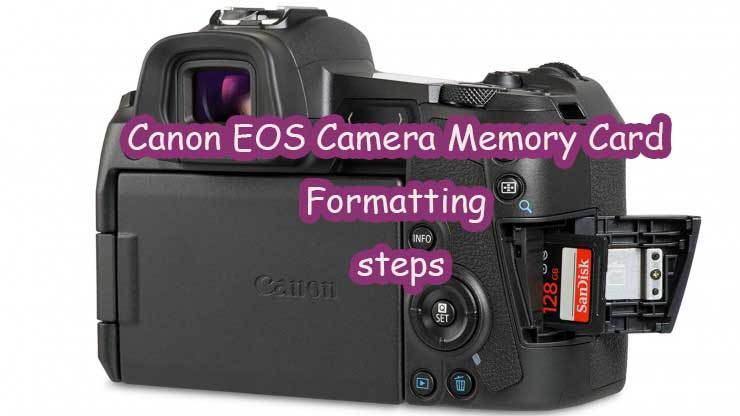
Canon EOS Camera Memory Card formatting steps

What are the Canon EOS Camera Memory Card formatting Steps?

Posted on December 5, 2021December 5, 2021 by smarttips

It is very important to know about the steps to do Canon EOS Camera Memory Card formatting.  Of late, there are many people who prefer using the Canon EOS Camera due to its great features and benefits to the users. It is one of the most affordable and genuine cameras to take quality pictures and beautiful views for the users. Sometimes while using Canon EOS Camera, there might be an issue while storing our photos and videos and it can be resolved by formatting the memory card. If you also facing the same issue, then you should try to format the memory card of your Canon EOS Camera without any second thought. By formatting your memory card, you will get rid of most issues that you might face at the time of using your device. Your device will work smoothly if you are taking care of all these critical issues without any issues at all.

Are you looking for the vital steps you need to follow for formatting your memory card? If yes is your answer, then here you would come to know about the steps you should be aware of!

  •  The first step you need to follow is to press the power button to turn the camera on. Make sure you are checking carefully whether it is fully on to proceed further
  • After turning on your camera, you need to press the <MENU> button
  • Now you need to press the [] tab on the menu screen
  • You should touch [] and select [Format], and then press the <> button
  • After pressing the [OK] button, the formatting process will be started and cards get formatted.

Points to remember

  • If the data of your memory card is erased or formatted completely, then you need to understand that only file management information is changed as of now. The real data of your card is not changed. You should keep this into consideration at the time of selling this card to any other person or also at the time of discarding the card from your end. At the time of discarding the card, try to damage the card or try low-level formatting to stop the sharing of your personal data from being leaked.
  • If you are going to use a new Eye-Fi card, then you should install software on your computer. After installing it, you should format the card with the camera.

At last, you are aware of the steps you need to follow for formatting your Canon EOS Camera memory card. All the above-mentioned will help you in removing all the images and data in your memory card. It would be better for you to note that even protected images will also be removed from your card and you need to check if you need anything later on. If you need anything important from your memory card, then make sure you are transferring all the vital images or files to your personal computer before you start formatting your card for sure. Just try the above steps and start formatting now!


Post Views: 806

Leave a Reply Cancel reply

Your email address will not be published. Required fields are marked *

Type to Search

Popular Posts

  • Find Vehicle ownership Details in Kerala-Through vahan Online
  • Free Online Tools for Web Statistics
  • PhpMyAdmin Login error – Login without a password is forbidden
  • Increase PHP Script Execution Time in zendframework ?
  • Umm Al Quawain Zoo-The Zoo Wildlife Park-Zoo In UAE

Categories

  • Android
  • Apple
  • Automobile
  • Banking
  • Bevco
  • BevQ App
  • Business
  • CodeIgniter
  • Computer
  • Cricket-IPL-2020
  • CSS
  • Database
  • Design
  • Digital Marketing
  • Digital marketing jobs
  • Du
  • Easy Malayalam Typing
  • Entertrainment
  • Etisalat
  • Facebook
  • Famous Birthdays
  • FIFA World Cup Live Streaming
  • Food & restaurants
  • Free Web Statistics Tools
  • G K
  • Games
  • General
  • git
  • GK
  • Google
  • Hardware
  • Health
  • Huawei
  • Instagram
  • Internet
  • iOS
  • iPad
  • iPhone
  • Java
  • javaScript
  • Jobs
  • jQuery
  • Kissan Card India
  • lifestyle
  • LiFi
  • Linux
  • Make in India
  • Mobile Phones
  • Movies
  • Ms Excel
  • Networking
  • News
  • Nodejs Framework
  • opencart
  • Opensource
  • Others
  • Outlook
  • photography
  • Photoshop Tips
  • PHP
  • PHP Project Ideas
  • phpMyadmin
  • Politics
  • PUBGMOBILE
  • SEO
  • Server
  • SMO
  • SocialEngine
  • Softwares
  • Soma Messenger
  • Sports
  • SQL
  • Technology
  • Telecom
  • Top 10 Lists
  • Travel and Tourism
  • UAE Directory
  • Uncategorized
  • Useful Sites
  • Vechicles
  • Videos
  • Web Designer
  • Web Tips
  • whatsApp
  • WiFi
  • Windows
  • windows 10
  • windows 11
  • wordpress
  • World
  • Yii Framework
  • youtube
  • zendframework

smart Tags

Android apache Baahubali baahubali releasing date cinima CodeIgniter config charset and UTF-8 Codex content css data usage edge case elementum Facebook famous birthdays Fast youTube video downloading featured image General Knowledge google Google chrome how to lose weight fast with exercise how to lose weight fast without exercise how to lose weight in 7 days HTML Color Codes iconv() detect illegal char in input image iOS iPad javascript jQuery Kerala Maecenas Microsoft Excel microsoft windows 10 Movies Mysql PHP php job vacancy php zend framework SocialEngine SQL Commands sundar pichai template ubuntu web tips zend framewrok
©2026 Smartttips | Powered by Superb Themes
We use cookies to ensure that we give you the best experience on our website. If you continue to use this site we will assume that you are happy with it.